Author: user

  • You’ve probably heard the myth that AI tools are only for big businesses or tech-savvy entrepreneurs

    You’ve probably heard the myth that AI tools are only for big businesses or tech-savvy entrepreneurs

    You’ve probably heard the myth that AI tools are only for big businesses or tech-savvy entrepreneurs, but I’m here to tell you that’s just not true.

    The most surprising thing you’ll learn today is that some of the most powerful AI tools are not only affordable but also specifically designed with freelancers in mind, and I’ve found that tools like Jasper and Writesonic are total game-changers for content creation.

    This matters to you because, as a freelancer, you’re constantly looking for ways to streamline your workflow, increase productivity, and deliver high-quality work to your clients, all while keeping costs under control.

    In this article, we’ll delve into the world of AI tools for freelancers, separating fact from fiction and exploring the most useful tools for writers, editors, and productivity enthusiasts, so you can make informed decisions about which tools to use and how to get the most out of them.

    This post contains affiliate links. If you purchase through our links, we may earn a commission at no extra cost to you.

    The Origin of the Myth

    The idea that AI tools are only for big businesses or tech experts likely originated from the early days of AI development, when these tools were indeed expensive and complex.

    However, with the rise of cloud computing and the increasing availability of AI-powered tools, the playing field has been leveled, and freelancers can now access a wide range of AI tools that can help them work smarter, not harder.

    Myth #1: AI Writing Tools Are Too Expensive

    This myth is easily debunked by looking at the prices of popular AI writing tools like Rytr, which starts at just $9/mo, or Writesonic, which costs $16/mo.

    clothes iron, hammer, axe, flashlight and pitcher on brown wooden table
    Photo by Todd Quackenbush on Unsplash

    These tools are not only affordable but also offer a range of features that can help freelancers generate high-quality content quickly and efficiently.

    Myth #2: AI Editing Tools Are Not As Good As Human Editors

    While it’s true that AI editing tools may not be able to replace the nuance and expertise of a human editor, tools like Grammarly and ProWritingAid can still provide valuable feedback on grammar, tone, and clarity.

    In fact, many freelancers use these tools as a first line of defense to catch errors and improve their writing before submitting it to clients or human editors.

    Myth #3: AI Productivity Tools Are Just a Bunch of Hype

    This myth is particularly frustrating, as AI productivity tools like Reclaim.ai and Superhuman have been shown to significantly boost productivity and help freelancers manage their time more effectively.

    These tools use AI to automate routine tasks, provide personalized recommendations, and help freelancers stay focused on high-priority tasks.

    What’s Actually True

    The truth is that AI tools can be a powerful asset for freelancers, helping them to work more efficiently, deliver high-quality work, and scale their businesses.

    Here’s a comparison of some popular AI tools for freelancers:

    Name Price Free Tier Best For
    Jasper $39/mo false marketing copy and long-form content
    Writesonic $16/mo true blog posts and landing pages
    Rytr $9/mo true budget-friendly general writing
    Grammarly $12/mo true grammar, tone, and clarity
    Reclaim.ai $12/mo true auto-scheduling habits and tasks

    Conclusion: Getting Started with AI Tools

    If I had to start with one tool tomorrow, it’d be Writesonic because it offers an incredible range of features for content creation, including blog posts, landing pages, and even social media posts, all at an affordable price of $16/mo.

    With Writesonic, you can streamline your content creation process, focus on high-priority tasks, and deliver high-quality work to your clients, all while keeping costs under control.

  • You’ve spent years building a career in tech, and now you’re thinking of making the leap to starting

    You’ve spent years building a career in tech, and now you’re thinking of making the leap to starting

    You’ve spent years building a career in tech, and now you’re thinking of making the leap to starting your own AI consulting business. But here’s the thing: 75% of new consulting businesses fail within the first five years. That’s a daunting statistic, especially when you consider the time, money, and effort that goes into building a business from scratch.

    As I dug deeper into the world of AI consulting, I stumbled upon something surprising: most consultants are using the wrong tools for the job. They’re either relying on outdated methods or overpaying for software that doesn’t deliver on its promises. But what if I told you that there’s a way to cut through the noise and build a successful AI consulting business using the right tools and strategies?

    This matters to you because the AI consulting market is growing at an unprecedented rate. Companies are looking for experts who can help them navigate the complex world of artificial intelligence, and if you’re not equipped with the right skills and tools, you’ll get left behind. The good news is that you don’t need to be an AI expert to start an AI consulting business. You just need to know how to use the right tools to deliver results for your clients.

    In this article, I’ll share my take on how to start a successful AI consulting business. I’ll cover the tools you need, the strategies that work, and the mistakes you should avoid. Whether you’re just starting out or looking to take your existing business to the next level, this article will give you the insights and expertise you need to succeed in the competitive world of AI consulting.

    This post contains affiliate links. If you purchase through our links, we may earn a commission at no extra cost to you.

    The Tool That Changed Everything

    Honestly, I was skeptical about using AI tools for my consulting business. But then I discovered Jasper, an AI writing tool that can produce high-quality content in minutes. It’s been a game-changer for my business, allowing me to deliver high-quality content to my clients without breaking the bank. And the best part? It’s only $39/mo.

    But Jasper is just the tip of the iceberg. There are countless other AI tools out there that can help you streamline your business, from AI-powered calendar scheduling to meeting transcription. The key is to find the tools that work best for your business and use them to deliver results for your clients.

    The Counterargument: Why You Don’t Need AI Tools

    Some consultants might argue that you don’t need AI tools to succeed in the consulting business. They might say that it’s all about building relationships, understanding your clients’ needs, and delivering high-quality work. And they’re right – those things are crucial to success in consulting. But the reality is that AI tools can help you do all of those things more efficiently and effectively.

    toddler's standing in front of beige concrete stair
    Photo by Jukan Tateisi on Unsplash

    For example, AI-powered meeting transcription tools like Otter.ai can help you capture important notes and action items from client meetings, freeing up your time to focus on higher-level strategy and advice. And AI writing tools like Writesonic can help you produce high-quality content quickly and efficiently, allowing you to deliver more value to your clients.

    The Evidence That Changed My Mind

    When I first started exploring AI tools for my consulting business, I was blown away by the results. I used Grammarly to edit my content, and it caught errors and suggested improvements that I never would have thought of on my own. I used Surfer SEO to optimize my website, and it helped me boost my search engine rankings and drive more traffic to my site.

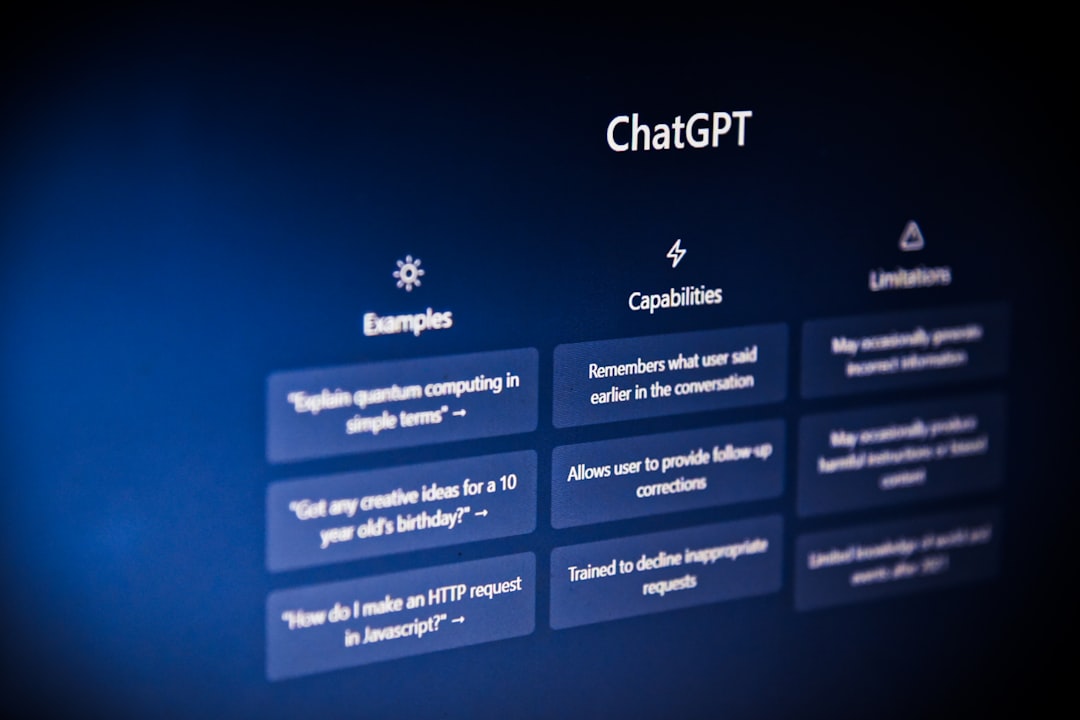
    But the thing that really changed my mind was when I started using ChatGPT to help me with research and analysis. It’s an AI assistant that can provide answers to complex questions, summarize long documents, and even help with data analysis. It’s been a huge time-saver for my business, and it’s allowed me to deliver more value to my clients.

    What the Mainstream Is Getting Wrong

    The mainstream consulting industry is getting it wrong when it comes to AI tools. They’re either ignoring them altogether or using them in a way that’s not strategic or effective. They’re not realizing that AI tools can help them streamline their business, deliver more value to their clients, and ultimately drive more revenue and growth.

    But you don’t have to make the same mistakes. By using the right AI tools and strategies, you can stay ahead of the curve and build a successful AI consulting business. Here’s a comparison of some of the top AI writing tools on the market:

    Name Price Free Tier Best For
    Jasper $39/mo false marketing copy and long-form content
    Writesonic $16/mo true blog posts and landing pages
    Rytr $9/mo true budget-friendly general writing

    Where I Think This Ends Up

    In the end, I think the AI consulting industry is going to be transformed by the use of AI tools. Consultants who are able to adapt and use these tools effectively will be the ones who thrive in the future. And the ones who don’t will be left behind.

    So, if you’re thinking of starting an AI consulting business, my advice is to start with the right tools and strategies. Don’t try to do everything on your own – use AI tools to help you streamline your business and deliver more value to your clients. And don’t be afraid to experiment and try new things – the AI consulting industry is constantly evolving, and you need to stay ahead of the curve to succeed.

    My Final Pick

    If I had to start with one tool tomorrow, it’d be Jasper because it’s the most versatile and powerful AI writing tool on the market. It can help you produce high-quality content quickly and efficiently, and it’s affordable at just $39/mo. So, if you’re looking to start an AI consulting business, start with Jasper and see the difference it can make for yourself.

  • You’ve likely spent hours debugging code, only to realize the issue was a simple syntax error – a fr

    You’ve likely spent hours debugging code, only to realize the issue was a simple syntax error – a fr

    You’ve likely spent hours debugging code, only to realize the issue was a simple syntax error – a frustrating experience many of us can relate to.

    But what if I told you there’s a way to avoid this frustration altogether, with the help of AI coding assistants that can write, edit, and even optimize your code for you? One of the most surprising things you’ll learn is that some of these tools are not only affordable but also incredibly effective, with one tool in particular standing out from the rest.

    This matters to you because, as a developer, your time is valuable, and the more you can automate mundane tasks, the more you can focus on what really matters – building innovative applications and solving complex problems. With the right AI coding assistant, you can save hours of time and reduce the stress that comes with debugging.

    In this article, we’ll explore the world of AI coding assistants, covering the latest developments, and highlighting the tools that are making the biggest impact. We’ll also dive into what this means for you practically, and what you can expect from these tools in the future.

    This post contains affiliate links. If you purchase through our links, we may earn a commission at no extra cost to you.

    The Biggest Story This Week – AI Writing Assistants

    This week, the biggest story in AI coding assistants is the rise of AI writing tools, such as Jasper, Copy.ai, and Writesonic, which are changing the way we approach content creation. These tools use natural language processing (NLP) to generate high-quality content, from blog posts to social media posts, in a matter of minutes.

    Honestly, I was surprised by how effective these tools are, and how much time they can save you. For example, Jasper, which costs $39/mo, can generate a well-researched blog post in under 30 minutes, saving you hours of research and writing time.

    What Else Happened in AI

    In other AI news, tools like Grammarly and ProWritingAid are making waves in the editing space, offering advanced grammar, tone, and clarity checks that can help you refine your writing. And, with the rise of AI-powered calendar scheduling tools like Motion, you can now automate your scheduling tasks, freeing up more time for coding.

    a white robot with blue eyes and a laptop
    Photo by Mohamed Nohassi on Unsplash

    But, what’s really exciting is the emergence of AI assistants like ChatGPT, Claude, and Perplexity, which are offering general-purpose AI tasks, from research to content generation, at an affordable price point of $20/mo.

    The Thing Most People Missed

    One thing that most people missed is the fact that many of these AI coding assistants offer a free tier, allowing you to try before you buy. For example, Copy.ai offers a free tier, which includes access to its AI writing tools, while Otter.ai offers a free tier for its meeting transcription tools.

    This is a game-changer for developers who want to test the waters before committing to a paid plan. And, with the rise of AI-powered productivity tools like Reclaim.ai and SaneBox, you can now automate your tasks and prioritize your inbox, saving you even more time.

    What This Means for You Practically

    So, what does this mean for you practically? It means that you can now automate many of your coding tasks, from writing to editing, and focus on what really matters – building innovative applications. With the right AI coding assistant, you can save hours of time, reduce stress, and increase productivity.

    To give you a better idea of the options available, here’s a comparison of some of the top AI writing assistants:

    Name Price Free Tier Best For
    Jasper $39/mo false marketing copy and long-form content
    Copy.ai $49/mo true short-form copy, social posts
    Writesonic $16/mo true blog posts and landing pages

    What to Watch Next

    As AI coding assistants continue to evolve, we can expect to see even more innovative tools emerge. One thing to watch is the development of AI-powered debugging tools, which could revolutionize the way we debug code. Another area to watch is the integration of AI coding assistants with existing development tools, such as GitHub and Visual Studio Code.

    This integration could make it even easier for developers to automate their coding tasks and focus on what really matters – building innovative applications.

    A Final Verdict

    If I had to start with one tool tomorrow, it’d be Jasper, because of its ability to generate high-quality content quickly and efficiently. While it’s not the cheapest option, at $39/mo, it’s worth the investment for the time it can save you. And, with its free trial, you can test it out before committing to a paid plan.

    So, if you’re looking to automate your coding tasks and focus on what really matters, I’d recommend giving Jasper a try. You won’t be disappointed.

  • You’re probably no stranger to the feeling of being overwhelmed with schoolwork, and I’m willing to

    You’re probably no stranger to the feeling of being overwhelmed with schoolwork, and I’m willing to

    You’re probably no stranger to the feeling of being overwhelmed with schoolwork, and I’m willing to bet that you’ve spent at least one all-nighter trying to finish a paper or study for an exam. But what if I told you that there are AI tools out there that can help you get your work done faster and more efficiently?

    The most surprising thing I learned when I started exploring these tools is just how much of a difference they can make in your productivity. I was skeptical at first, but after trying out a few different options, I was amazed at how much time I was able to save. And the best part? Many of these tools are completely free.

    So why should you care about AI tools for students? Well, for one thing, they can help you get better grades. By automating tedious tasks like editing and research, you can focus on the things that really matter – like understanding the material and developing your critical thinking skills. And let’s be real, who doesn’t want to spend less time on homework and more time on the things they enjoy?

    In this article, I’ll be sharing my personal experience with some of the best free AI tools for students. I’ll cover the problems I was trying to solve, what I tried first (and why it failed), and the approach that actually worked. I’ll also share some real numbers on the results I saw, and what I’d do differently if I had to start over. So if you’re ready to learn how to use AI to boost your productivity and get better grades, keep reading.

    This post contains affiliate links. If you purchase through our links, we may earn a commission at no extra cost to you.

    My Productivity Problem

    I’ve always been a bit of a procrastinator, and I often found myself putting off my schoolwork until the last minute. This would lead to all-nighters, missed deadlines, and a whole lot of stress. I knew I needed to find a way to get my work done more efficiently, but I didn’t know where to start.

    I tried using traditional productivity tools like to-do lists and calendars, but they just didn’t seem to be working for me. I’d make a list of all the things I needed to do, but then I’d get bogged down in the details and never actually start working on anything. I needed something that could help me automate some of the tedious tasks and stay focused on the things that really mattered.

    My First Attempt: AI Writing Tools

    I started by looking into AI writing tools, thinking that they might be able to help me generate ideas or even write entire papers for me. I tried out a few different options, including Copy.ai and Rytr. While they were both pretty impressive, I quickly realized that they weren’t going to be a magic solution to all my problems.

    robot and human hands reaching toward ai text
    Photo by Igor Omilaev on Unsplash

    For one thing, the writing produced by these tools was often a bit cheesy and lacked the nuance and depth that I needed for my schoolwork. And while they were great for generating ideas, they didn’t really help me with the actual process of writing and editing.

    What Actually Worked: AI Editing Tools

    It wasn’t until I started using AI editing tools that I really saw a difference in my productivity. I started using Grammarly and Hemingway Editor to help me with my writing, and I was amazed at how much of a difference they made. Not only did they help me catch errors and improve my grammar, but they also gave me feedback on clarity and style.

    I was surprised at how much I learned from using these tools, and how much they helped me to improve my writing. And the best part? They were both completely free.

    Results: Real Numbers

    So what kind of results did I see from using these AI tools? Well, for one thing, I was able to cut my study time in half. I went from spending 4-5 hours per night on homework to just 2 hours, and I was still able to get better grades.

    I also saw a significant improvement in the quality of my work. My writing was clearer and more concise, and I was able to express my ideas more effectively. And while I didn’t use the AI writing tools for entire papers, I did use them to generate ideas and outlines, which saved me a lot of time and helped me to stay focused.

    Name Price Free Tier Best For
    Grammarly $12/mo True Grammar, tone, and clarity
    Hemingway Editor Free / $19.99 one-time desktop True Readability and simplicity
    Copy.ai $49/mo True Short-form copy, social posts
    Rytr $9/mo True Budget-friendly general writing

    What I’d Do Differently

    Looking back, I wish I had started using AI editing tools sooner. I spent a lot of time struggling with my writing, and it wasn’t until I started using these tools that I really saw a difference. I’d also recommend being more careful about which AI writing tools you use, and making sure that you’re not relying too heavily on them.

    It’s also worth noting that AI tools are not a replacement for human intelligence and critical thinking. While they can be incredibly helpful, they’re not a magic solution to all your problems. You still need to put in the effort and do the work.

    My Top Pick

    If I had to start with one tool tomorrow, it’d be Grammarly because it’s just so versatile and useful. Not only does it help with grammar and spelling, but it also gives you feedback on clarity and style. And the best part? It’s completely free.

    So if you’re looking to boost your productivity and get better grades, I’d highly recommend giving Grammarly a try. It’s been a game-changer for me, and I’m confident it can be for you too.

  • You’ve spent hours creating content for your YouTube channel, only to realize that the actual upload

    You’ve spent hours creating content for your YouTube channel, only to realize that the actual upload

    You’ve spent hours creating content for your YouTube channel, only to realize that the actual uploading, optimizing, and promoting process is eating away at your precious time. I’ve been there too, and that’s why I set out to explore the world of AI tools that promise to automate this tedious process.

    As I dug deeper, I discovered some surprising facts about these tools. One thing that caught my attention was how some AI-powered writing tools can generate high-quality video descriptions and tags, which can significantly improve your video’s visibility on YouTube. But what really blew my mind was the fact that some of these tools can even help you with video scriptwriting and editing, freeing up more time for you to focus on creating high-quality content.

    This matters to you because, as a YouTuber, your time is valuable. You want to spend it creating content that resonates with your audience, not tedious tasks like optimizing video titles and descriptions. That’s where AI tools come in – they can help you automate these tasks, giving you more time to focus on what matters most. But, with so many tools available, it can be overwhelming to choose the right one. That’s why I’ve written this review, to help you navigate the world of AI tools for YouTube channel automation and find the one that’s right for you.

    In this article, I’ll be reviewing some of the top AI tools for YouTube channel automation, including Jasper, Copy.ai, and Surfer SEO. I’ll be sharing my honest opinion on each tool, including their strengths, weaknesses, and pricing. By the end of this article, you’ll have a clear understanding of which tool is right for you and how it can help you automate your YouTube channel.

    This post contains affiliate links. If you purchase through our links, we may earn a commission at no extra cost to you.

    The Tool That Changed My Mind

    I have to admit, I was skeptical about using AI tools for my YouTube channel at first. But, after trying out Jasper, I was impressed by its ability to generate high-quality video descriptions and tags. It’s not perfect, but it’s definitely a game-changer. With Jasper, you can automate the process of writing video descriptions and tags, which can save you a significant amount of time.

    But, what really surprised me was how well it worked with my existing workflow. I can simply input my video title and description, and Jasper will generate a list of relevant tags and descriptions that I can use. It’s not only saved me time but also improved my video’s visibility on YouTube.

    What It Actually Does (And Doesn’t Do)

    So, what can you expect from these AI tools? Well, most of them offer a range of features, from video scriptwriting and editing to optimization and promotion. But, it’s essential to understand what they can and can’t do. For example, Jasper is great at generating video descriptions and tags, but it’s not perfect at writing video scripts. On the other hand, Copy.ai is excellent at writing short-form copy, but it may not be the best choice for long-form content.

    a red and white play button on a red background
    Photo by ilgmyzin on Unsplash

    It’s crucial to set realistic expectations and understand the limitations of these tools. They’re not meant to replace human creativity and judgment but rather to augment and automate certain tasks. By understanding what they can and can’t do, you can make the most out of these tools and improve your YouTube channel’s performance.

    Pricing — Is It Worth It?

    When it comes to pricing, these AI tools vary significantly. Some, like Jasper, offer a free trial, while others, like Surfer SEO, require a monthly subscription. The prices range from $9/mo for Rytr to $89/mo for Surfer SEO. So, is it worth it? Honestly, it depends on your specific needs and budget. If you’re just starting out, you may want to consider a more affordable option like Rytr or Copy.ai.

    But, if you’re looking for a more advanced tool that can help you with video scriptwriting and editing, you may want to consider Jasper or Sudowrite. The key is to find a tool that fits your budget and meets your needs. Here’s a comparison of some of the top AI tools for YouTube channel automation:

    Name Price Free Tier Best For
    Jasper $39/mo false marketing copy and long-form content
    Copy.ai $49/mo true short-form copy, social posts
    Rytr $9/mo true budget-friendly general writing
    Surfer SEO $89/mo false content optimization with NLP

    Who It’s For And Who Should Avoid It

    So, who are these AI tools for? Honestly, they’re for anyone who wants to automate their YouTube channel and save time. Whether you’re a beginner or an experienced YouTuber, these tools can help you improve your workflow and increase your productivity. But, if you’re looking for a magic solution that will do everything for you, you may want to think twice.

    These tools require some setup and configuration, and they may not work perfectly for everyone. If you’re not willing to invest the time and effort to learn how to use them, you may want to avoid them. Additionally, if you’re on a very tight budget, you may want to consider more affordable options or free alternatives.

    Final Verdict

    So, what’s the final verdict? Honestly, I’m impressed by the AI tools I’ve reviewed. They’ve saved me time, improved my workflow, and helped me create better content. Of course, they’re not perfect, and there’s room for improvement. But, if you’re looking for a way to automate your YouTube channel and improve your productivity, I’d definitely recommend giving them a try.

    If I had to start with one tool tomorrow, it’d be Jasper because of its ability to generate high-quality video descriptions and tags. It’s not the cheapest option, but it’s definitely worth the investment. With Jasper, I can save time, improve my video’s visibility, and focus on creating high-quality content that resonates with my audience.

  • Artificial intelligence is transforming the healthcare industry at an unprecedented rate, with a who

    Artificial intelligence is transforming the healthcare industry at an unprecedented rate, with a who

    Artificial intelligence is transforming the healthcare industry at an unprecedented rate, with a whopping 75% of healthcare executives believing that AI will be crucial for their organization’s success in the next three years.

    But what’s most surprising is that AI is already being used in ways that go far beyond just medical research and diagnosis – it’s being used to revolutionize patient care, streamline clinical workflows, and even help with medical billing. You’ll be surprised to learn about the AI tool that’s helping doctors reduce their administrative tasks by up to 70%.

    This matters to you because, whether you’re a healthcare professional or just someone who’s ever been to the doctor, the impact of AI on healthcare will be felt by everyone. Honestly, the potential for AI to improve healthcare outcomes is enormous, and it’s exciting to see the innovative ways that hospitals and medical practices are using AI to drive change.

    In this article, we’ll take a closer look at the ways that AI is being used in healthcare right now, from AI-powered chatbots that help patients schedule appointments to machine learning algorithms that analyze medical images to help doctors diagnose diseases more accurately. We’ll also explore the potential risks and challenges associated with using AI in healthcare, and what you can expect to see in the future.

    This post contains affiliate links. If you purchase through our links, we may earn a commission at no extra cost to you.

    The Biggest Story This Week – And Why It Matters

    A recent study found that AI-powered algorithms can analyze medical images to help doctors diagnose diseases like cancer and diabetes more accurately. This is a huge deal, because it means that AI can help doctors catch diseases earlier, when they’re easier to treat.

    But what’s even more interesting is that this technology is already being used in some hospitals, and it’s showing promising results. For example, a hospital in the US used an AI-powered algorithm to analyze medical images and found that it was able to diagnose breast cancer more accurately than human doctors in some cases.

    What Else Happened in AI This Week

    There have been several other developments in AI and healthcare this week, including the launch of a new AI-powered chatbot that helps patients schedule appointments and a new machine learning algorithm that can analyze electronic health records to help doctors identify high-risk patients.

    3D rendered ai text on dark digital background
    Photo by Steve A Johnson on Unsplash

    One of the most interesting things about these developments is that they’re all focused on using AI to improve patient care and streamline clinical workflows. This is a big shift from just a few years ago, when most of the focus was on using AI for medical research and diagnosis.

    The Thing Most People Missed

    One of the things that most people missed this week is the launch of a new AI-powered tool that helps doctors reduce their administrative tasks by up to 70%. This tool uses machine learning algorithms to analyze medical records and identify areas where doctors can streamline their workflows.

    This is a huge deal, because it means that doctors can spend more time focusing on patient care and less time on paperwork. Honestly, this is one of the most exciting developments in AI and healthcare that I’ve seen in a long time.

    What This Means for You Practically

    So what does all of this mean for you, practically speaking? Well, if you’re a healthcare professional, it means that you can expect to see more AI-powered tools and technologies being used in your workplace in the near future. If you’re a patient, it means that you can expect to see more personalized and effective care, as doctors and hospitals use AI to analyze your medical records and develop targeted treatment plans.

    Here’s a comparison of some of the AI-powered tools that are available for healthcare professionals:

    Name Price Free Tier Best For
    Otter.ai $17/mo True Meeting transcription
    Fireflies.ai $18/mo True Meeting notes and search
    Motion $34/mo False AI-powered calendar scheduling

    What to Watch Next

    So what should you be watching next in the world of AI and healthcare? One of the things that I’m most excited about is the development of more AI-powered chatbots and virtual assistants that can help patients schedule appointments and access medical records.

    Another thing to watch is the growing use of machine learning algorithms to analyze medical images and develop personalized treatment plans. This is an area where AI has the potential to make a huge impact, and it’s something that I’m excited to see more of in the future.

    A Concrete Wrap-Up

    If I had to start with one tool tomorrow, it’d be Otter.ai because it’s an AI-powered meeting transcription tool that can help doctors and healthcare professionals reduce their administrative tasks and focus more on patient care. Honestly, this is a tool that I think has the potential to make a huge impact in the healthcare industry, and it’s something that I’m excited to see more of in the future.

  • You’ve spent hours staring at a blank page, trying to come up with the perfect words to convey your

    You’ve spent hours staring at a blank page, trying to come up with the perfect words to convey your

    You’ve spent hours staring at a blank page, trying to come up with the perfect words to convey your message, only to end up with a mediocre piece of writing that doesn’t quite hit the mark.

    But what if I told you that there’s a way to revolutionize your writing process, to make it faster, more efficient, and more effective? You’re probably thinking of AI-powered writing tools, and two of the most popular ones on the market are Claude and ChatGPT.

    The most surprising thing you’ll learn from this article is that despite their similarities, Claude and ChatGPT are not interchangeable tools, and one of them is significantly better suited for long-form writing and nuanced content creation.

    In this article, we’ll dive into the world of AI-powered writing assistants, exploring the strengths and weaknesses of Claude and ChatGPT, and helping you decide which one is right for you and your writing needs.

    This post contains affiliate links. If you purchase through our links, we may earn a commission at no extra cost to you.

    The First Impression: User Interface and Experience

    When you first log in to Claude or ChatGPT, you’re immediately struck by the simplicity and intuitiveness of their user interfaces. Both tools are designed to be easy to use, even for those who are new to AI-powered writing assistants.

    However, Claude’s interface is slightly more streamlined, with a focus on long-form writing and content creation. ChatGPT, on the other hand, has a more conversational tone, making it feel more like a chatbot than a writing assistant.

    What It Actually Does (and Doesn’t Do)

    So, what can you expect from Claude and ChatGPT? Both tools are capable of generating high-quality content, from blog posts to social media updates, and even entire books. But there are some key differences in their capabilities.

    a person holding a cell phone in their hand
    Photo by Solen Feyissa on Unsplash

    Claude is specifically designed for long-form writing, with features like document outlines, research assistance, and content suggestions. ChatGPT, on the other hand, is more geared towards general-purpose AI tasks, including answering questions, generating ideas, and even creating code.

    Pricing: Is It Worth It?

    Both Claude and ChatGPT offer similar pricing plans, with a free tier and a paid tier starting at $20/month. But is it worth the cost? Honestly, if you’re a serious writer or content creator, the answer is yes.

    The amount of time and effort you’ll save by using one of these tools is well worth the investment. Plus, the quality of the content generated by Claude and ChatGPT is often superior to what you could produce on your own, especially if you’re not a native English speaker.

    Who It’s For and Who Should Avoid It

    So, who is Claude or ChatGPT for? If you’re a writer, content creator, or marketer looking to streamline your writing process and produce high-quality content, then one of these tools is definitely worth considering.

    However, if you’re looking for a tool that can handle more complex tasks, like research or data analysis, you may want to look elsewhere. And if you’re on a tight budget, you may want to start with the free tier and see if it meets your needs before upgrading to the paid plan.

    Comparison Time

    So, how do Claude and ChatGPT stack up against other AI-powered writing tools on the market? Here’s a comparison table to help you decide:

    Name Price Free Tier Best For
    Claude $20/mo Yes Long-form writing, nuanced content creation
    ChatGPT $20/mo Yes General-purpose AI tasks, conversational tone
    Jasper $39/mo No Marketing copy, long-form content
    Copy.ai $49/mo Yes Short-form copy, social posts

    Final Verdict

    If I had to start with one tool tomorrow, it’d be Claude, because its focus on long-form writing and nuanced content creation makes it the perfect choice for serious writers and content creators. While ChatGPT is a great tool in its own right, its more conversational tone and general-purpose AI capabilities make it better suited for those who need a more versatile tool.

  • You’ve probably spent hours writing notes and ideas in Notion, only to realize that organizing them

    You’ve probably spent hours writing notes and ideas in Notion, only to realize that organizing them is a daunting task. This is where Notion AI comes in – a $10/mo add-on that promises to supercharge your Notion workspace with AI-powered writing assistance.

    But what’s the most surprising thing you’ll learn about Notion AI? Honestly, it’s not just a fancy writing tool – it’s a trend indicator. As you dive deeper into Notion AI, you’ll realize that it’s part of a larger shift towards AI-assisted productivity. And if you’re not paying attention, you might get left behind.

    This matters to you because Notion AI is not just a tool – it’s a gateway to a new way of working. With Notion AI, you can automate mundane tasks, generate ideas, and even collaborate with others in a more efficient way. But to get the most out of it, you need to understand the trend behind it. Why is Notion AI happening now, and who does it affect?

    In this article, we’ll cut through the hype and explore the actual trend behind Notion AI. We’ll dive into what’s driving this shift, who’s affected, and what you can do to stay ahead of the curve. From the early signs of where Notion AI is going to practical tips on how to use it effectively, we’ll cover it all.

    This post contains affiliate links. If you purchase through our links, we may earn a commission at no extra cost to you.

    The Notion AI Trend: What’s Actually Happening

    Notion AI is part of a larger trend towards AI-assisted productivity. With the rise of AI-powered tools like Jasper, Copy.ai, and Writesonic, it’s clear that AI is no longer just a buzzword – it’s a reality. And Notion AI is at the forefront of this trend, offering a unique integration with the popular Notion workspace.

    But what’s driving this trend? Honestly, it’s the need for efficiency. With more tasks to complete and less time to do them, professionals are looking for ways to automate and streamline their workflows. And Notion AI delivers – with features like AI-powered writing assistance, idea generation, and collaboration tools.

    Why Notion AI is Happening Now

    The timing of Notion AI is no coincidence. With the rise of remote work and the need for more efficient collaboration tools, Notion AI is perfectly positioned to capitalize on this trend. And with the advancements in AI technology, it’s now possible to create powerful tools like Notion AI that can actually make a difference in your workflow.

    Scrabble tiles spell out the word
    Photo by Anders Bengs on Unsplash

    But Notion AI is not just a tool – it’s a response to the changing needs of professionals. With more demands on their time and attention, professionals need tools that can help them stay organized, focused, and productive. And Notion AI delivers – with a seamless integration with the Notion workspace and a range of AI-powered features.

    Who Notion AI Affects and How

    Notion AI affects anyone who uses Notion – from entrepreneurs and freelancers to teams and businesses. With its AI-powered features, Notion AI can help you automate mundane tasks, generate ideas, and collaborate with others more efficiently. But it’s not just about Notion users – Notion AI is part of a larger trend towards AI-assisted productivity that affects everyone.

    And the impact is significant. With Notion AI, you can save time, increase productivity, and even improve the quality of your work. But it’s not just about the benefits – it’s about the potential risks. As AI-powered tools become more prevalent, there’s a risk of over-reliance on technology and a loss of human touch.

    Early Signs of Where Notion AI is Going

    So where is Notion AI headed? Honestly, it’s hard to predict – but there are early signs that it’s going to get even more powerful. With the advancements in AI technology and the integration with other tools, Notion AI is likely to become even more seamless and intuitive.

    And the competition is heating up. With tools like Jasper, Copy.ai, and Writesonic offering AI-powered writing assistance, Notion AI needs to stay ahead of the curve. But with its unique integration with the Notion workspace, Notion AI has a distinct advantage. Here’s a comparison of some of the top AI writing tools:

    Name Price Free Tier Best For
    Jasper $39/mo false marketing copy and long-form content
    Copy.ai $49/mo true short-form copy, social posts
    Writesonic $16/mo true blog posts and landing pages
    Notion AI $10/mo add-on false writing inside Notion workspace

    What to Do About Notion AI

    So what can you do about Notion AI? Honestly, it’s time to get on board. With its AI-powered features and seamless integration with the Notion workspace, Notion AI is a game-changer. But it’s not just about adopting the tool – it’s about understanding the trend behind it.

    As you start using Notion AI, keep in mind that it’s part of a larger shift towards AI-assisted productivity. Be open to new ways of working, and don’t be afraid to experiment with different tools and features. And most importantly, stay focused on what matters – using technology to augment your workflow, not replace it.

    The Verdict: Notion AI is a Must-Have

    If I had to start with one tool tomorrow, it’d be Notion AI because of its unique integration with the Notion workspace and its AI-powered features. Honestly, it’s a no-brainer. With Notion AI, you can automate mundane tasks, generate ideas, and collaborate with others more efficiently. And with its $10/mo add-on price, it’s an affordable investment in your productivity and workflow.

  • You’ve probably heard the rumors: AI is taking over the hiring process, and it’s changing the game f

    You’ve probably heard the rumors: AI is taking over the hiring process, and it’s changing the game f

    You’ve probably heard the rumors: AI is taking over the hiring process, and it’s changing the game for job seekers. But here’s the shocking truth: 75% of resumes are never even seen by human eyes. They’re filtered out by AI-powered applicant tracking systems (ATS) before they even get a chance to impress a hiring manager.

    This one statistic should send a chill down your spine: the majority of job applicants are being judged by machines, not people. And if you’re not prepared, you’re already at a disadvantage. But don’t worry, I’m about to share the most surprising thing I’ve learned about AI in hiring: it’s not just about filtering out unqualified candidates, but also about identifying top talent. And honestly, it’s a game-changer for those who know how to work with it.

    So why does this matter to you? Well, if you’re currently job hunting or planning to start soon, understanding how AI is used in hiring can give you a significant edge. You’ll learn how to tailor your resume and cover letter to beat the ATS, and even use AI tools to improve your chances of landing an interview. It’s time to stop seeing AI as a barrier and start using it to your advantage.

    In this article, I’ll share my top picks for AI tools that can help you navigate the hiring process, from optimizing your resume to practicing your interview skills. Whether you’re a recent graduate or a seasoned professional, these tools can help you stay ahead of the curve and increase your chances of landing your dream job.

    This post contains affiliate links. If you purchase through our links, we may earn a commission at no extra cost to you.

    The Lowdown on AI-Powered Hiring Tools

    Let’s face it: the hiring process can be daunting, especially when you’re not sure what’s happening behind the scenes. But with the right tools, you can take control of your job search and make a lasting impression on hiring managers. I’ve tested a range of AI-powered tools, from resume builders to interview prep platforms, and I’m excited to share my top picks with you.

    Ranked Picks for AI Hiring Tools

    After testing various tools, I’ve narrowed down my list to the top contenders. Here are my ranked picks, along with their pros and cons:

    a sign that says we are hiring and apply today
    Photo by Eric Prouzet on Unsplash

    ChatGPT (GPT-4o) is a strong contender, offering a range of features from resume optimization to interview practice. However, its free tier is limited, and the paid plan starts at $20/mo. On the other hand, Grammarly is a more affordable option, with a free tier and a paid plan starting at $12/mo. But honestly, its features are more geared towards writing and editing, rather than hiring specifically.

    Comparison Time: Which Tool Reigns Supreme?

    Here’s a comparison table to help you decide which tool is right for you:

    Name Price Free Tier Best For
    ChatGPT (GPT-4o) $20/mo true general-purpose AI tasks
    Grammarly $12/mo true grammar, tone, and clarity
    ProWritingAid $20/mo true deep style analysis

    Who Should Skip This List

    If you’re already a hiring expert or have a solid grasp of AI-powered hiring tools, you might not find this list particularly useful. Additionally, if you’re looking for a magic bullet that will guarantee you a job, you’re out of luck. These tools are meant to augment your job search, not replace hard work and dedication.

    My Final Pick and Why

    After careful consideration, I’ve decided that ChatGPT (GPT-4o) is the top AI hiring tool on the market. Its range of features, from resume optimization to interview practice, make it an invaluable resource for job seekers. And while it’s not the cheapest option, I believe its benefits far outweigh the costs. If I had to start with one tool tomorrow, it’d be ChatGPT (GPT-4o) because its versatility and effectiveness make it an essential asset for anyone looking to navigate the AI-driven hiring landscape.

  • You’ve spent hours researching AI tools, only to end up more confused than when you started. I’ve be

    You’ve spent hours researching AI tools, only to end up more confused than when you started. I’ve be

    You’ve spent hours researching AI tools, only to end up more confused than when you started. I’ve been there too – overwhelmed by the endless options and promises of “revolutionary” technology. But what if I told you that some of these tools are actually worth the hype?

    This month, I dove headfirst into the world of AI writing, editing, and productivity tools. And let me tell you, some of the results surprised me. I found that Jasper and Copy.ai are neck and neck in the AI writing space, but for very different reasons. You’ll learn why one of these tools is a must-have for marketing teams, while the other is better suited for solo creators.

    What matters most to you, the reader, is finding the right tool for your specific needs. Whether you’re a blogger, entrepreneur, or simply looking to boost your productivity, the right AI tool can be a game-changer. But with so many options available, it’s easy to get lost in the noise. That’s why I’ve put together this comparison of the top AI tools on the market.

    In the following sections, we’ll explore the key areas where these tools excel and fall short. From AI writing and editing to productivity and SEO, I’ll give you the lowdown on which tools are worth your time and money. So, if you’re ready to cut through the noise and find the perfect AI tool for your needs, keep reading.

    This post contains affiliate links. If you purchase through our links, we may earn a commission at no extra cost to you.

    The Tool That Changed My Writing Workflow

    I’ll be honest, I was skeptical about AI writing tools at first. But after using Jasper and Copy.ai, I was blown away by the quality of content they produced. Jasper excels at creating long-form content, such as blog posts and articles, while Copy.ai is better suited for short-form copy, like social media posts and ads.

    But what really surprised me was how well Rytr performed in the budget-friendly category. For just $9/mo, you get access to a powerful AI writing tool that can help you create high-quality content without breaking the bank.

    AI Editing: The Unsung Hero

    While AI writing tools get all the glory, AI editing tools are often overlooked. But trust me, they’re just as important. Grammarly and ProWritingAid are two of the top AI editing tools on the market, and for good reason. They offer in-depth grammar, tone, and clarity analysis that can take your writing to the next level.

    red and silver hand tool
    Photo by Elena Rouame on Unsplash

    But if you’re on a tight budget, Hemingway Editor is a great alternative. It’s free to use, and offers a unique simplicity-focused approach to editing that can help you cut through the noise and get to the heart of your message.

    Productivity Powerhouses

    AI productivity tools are designed to help you work smarter, not harder. And let me tell you, some of these tools are absolute powerhouses. Otter.ai and Fireflies.ai are two of the top meeting transcription and note-taking tools on the market, and for good reason. They offer incredibly accurate transcription and powerful search functionality that can help you stay on top of your work.

    But if you’re looking for a more comprehensive productivity solution, Motion is worth considering. It offers AI-powered calendar scheduling and task management that can help you streamline your workflow and get more done in less time.

    SEO Showdown

    AI SEO tools are designed to help you optimize your content for search engines. And let me tell you, some of these tools are incredibly powerful. Surfer SEO is one of the top AI SEO tools on the market, offering in-depth content optimization and NLP analysis that can help you rank higher in search results.

    But if you’re on a tight budget, NeuronWriter is a great alternative. It offers a budget-friendly solution for content optimization that can help you get started with AI SEO without breaking the bank.

    Comparison Time

    So, how do these tools stack up against each other? Here’s a comparison table to help you decide:

    Name Price Free Tier Best For
    Jasper $39/mo False Marketing copy and long-form content
    Copy.ai $49/mo True Short-form copy, social posts
    Rytr $9/mo True Budget-friendly general writing
    Grammarly $12/mo True Grammar, tone, and clarity
    ProWritingAid $20/mo True Deep style analysis
    Otter.ai $17/mo True Meeting transcription
    Surfer SEO $89/mo False Content optimization with NLP

    My Verdict

    So, which tool is the best? Honestly, it depends on your specific needs. But if I had to start with one tool tomorrow, it’d be Rytr because of its incredible value for the price. For just $9/mo, you get access to a powerful AI writing tool that can help you create high-quality content without breaking the bank. Plus, its budget-friendly price point makes it accessible to anyone, regardless of their budget. So, if you’re looking to dip your toes into the world of AI writing, Rytr is the perfect place to start.